Simplex APOGEE Uživatelský manuál Strana 19

  • Stažení
  • Přidat do mých příruček
  • Tisk
  • Strana
    / 20
  • Tabulka s obsahem
  • KNIHY
  • Hodnocené. / 5. Na základě hodnocení zákazníků
Zobrazit stránku 18
18
Chapter 6: Kick-Starting Digital Alignment
Basic Help on Getting There from Here
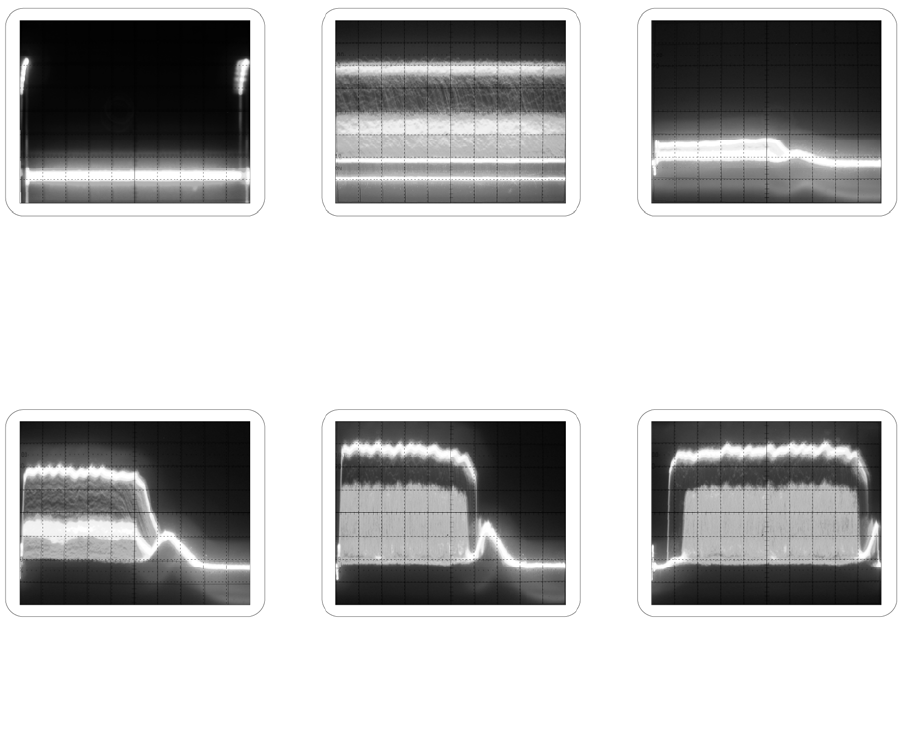
The first step is to get something up on your scope. The snapshots below show some of the typical scope
displays you will see as the alignment begins.
The last trace shows a very good place to begin. The digital burst is in pretty good focus, has adequate
illumination and is close to the proper lateral position on the calibrated scope screen. You may be able to
run DRAS at this time. If so.....watch the number in the upper left hand corner of the screen. The statistic
"corners found" must be up around 80+ or the readings reported by DRAS are suspect.
Channel 2 is up and
calibrated. Time to rotate
it off the screen.
Channel 1 is showing but
not triggering properly
from channel 2.
A little bit of digital
showing low and to
the left.
A little more digital
showing as the LED
is adjusted.
A better view of the
digital burst as the focus
is adjusted.
The lateral adjustment
puts the digital burst close
to the proper position.
Zobrazit stránku 18
1 2 ... 14 15 16 17 18 19 20

Komentáře k této Příručce

Žádné komentáře